

How do I set up absence quotas?
In short
Section titled “In short”An absence quota answers the question: how many days is a person entitled to within a given period? Thirty days of vacation per year, for example.
A quota consists of three things: a Name, a Cycle (week, month, quarter or year) and the number of Units per cycle. The unit currently available is days.
You create quotas under Account Settings → Time Management → Absence Quotas. They only take effect once you link them to an absence type and assign them to individual people.
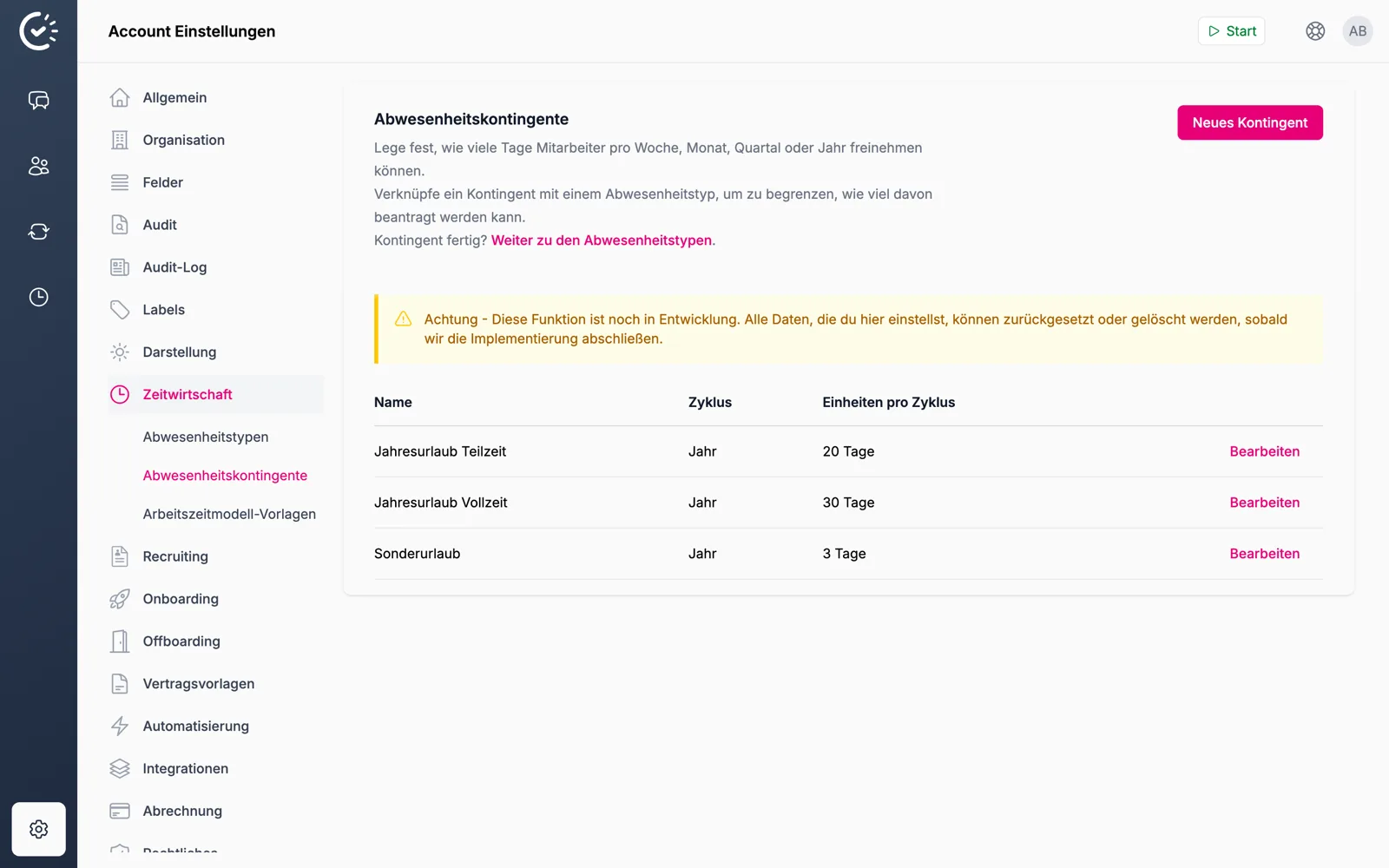
Create a quota
Section titled “Create a quota”- Go to Account Settings → Time Management → Absence Quotas.
- Click Add Quota in the top right.
- Enter a Name that makes the target group obvious — for example “Annual leave full time”.
- Choose the Cycle: Week, Month, Quarter or Year.
- Under Quota, enter how many Units are available per cycle.
- Click Submit.
Link a quota to an absence type
Section titled “Link a quota to an absence type”A quota on its own limits nothing. Only the link to an absence type makes requests count against it.
- Switch to Account Settings → Time Management → Absence Types. On the quota page, the link Go to Absence Types takes you straight there.
- Open the matching absence type, for example Vacation.
- Pick the quota under Absence quota.
- Click Submit.
Edit or delete a quota
Section titled “Edit or delete a quota”- Open Account Settings → Time Management → Absence Quotas.
- Click Edit in the row.
- Change Name, Cycle or Quota and click Submit — or click Delete absence quota.
Permissions and visibility
Section titled “Permissions and visibility”Absence Quotas only appears in the account settings if your role may see quotas. The setting applies account-wide.
What a specific person is entitled to is shown in their profile under Time management → Vacation — see Where do I see my vacation quotas?.
Common questions
Section titled “Common questions”Is creating a quota enough?
Section titled “Is creating a quota enough?”No. It has to be linked to an absence type and assigned to the people concerned.
Which units exist besides days?
Section titled “Which units exist besides days?”Currently only days. Hours are not available here.
Can a person have several quotas?
Section titled “Can a person have several quotas?”Yes. For example an annual quota for vacation and a smaller one for special leave.
What happens at the end of a cycle?
Section titled “What happens at the end of a cycle?”A new quota starts with the next cycle. How remaining days are handled depends on your company’s own rules.
Why can’t I enter half days?
Section titled “Why can’t I enter half days?”The field expects a whole number. Half days cannot be represented in the quota.
Support
Section titled “Support”Our Help Center holds many more articles about Papershift. If you still have questions or need a hand, our support team is happy to help. You can reach us at any time directly from the software.