

How do I create working time model templates?
In short
Section titled “In short”Most companies run on a handful of recurring weekly schedules — full time at 40 hours, part time at 20, maybe something in between. A template captures such a schedule so you do not have to enter it by hand for every new person.
You manage templates under Account Settings → Time Management → Working Time Model Templates. They are used in the employee profile when a working time model is created.
A template is a blueprint, not a permanent link: once applied, the values can still be adjusted for that individual person.
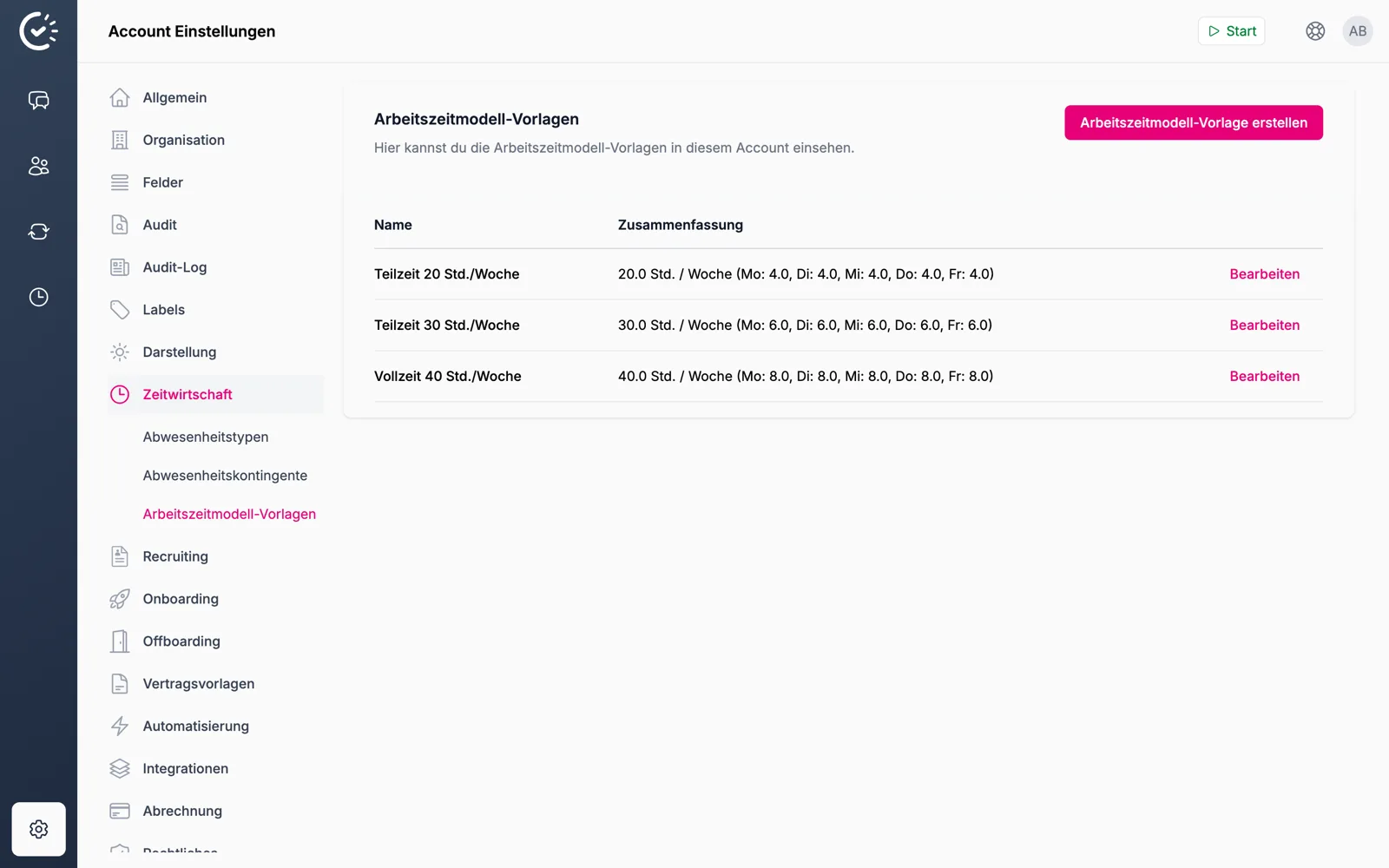
Create a template
Section titled “Create a template”- Go to Account Settings → Time Management → Working Time Model Templates.
- Click the button to add a template.
- Enter a Name that makes the schedule obvious — for example “Full time 40 hrs/week”.
- Choose the Pattern. Weekly is currently available.
- For every working day from Monday to Sunday, enter the Target Hours in hours : minutes. Leave days without working time at
- Click Submit.
Apply a template in an employee profile
Section titled “Apply a template in an employee profile”- Open the person’s profile and go to Time management → Working Time Models.
- Create a new working time model.
- Pick the matching entry under Template.
- Click Apply. Pattern and target hours are filled into the form.
- Add the Start date and adjust individual days if needed.
- Click Submit.
Edit or delete a template
Section titled “Edit or delete a template”- Open Account Settings → Time Management → Working Time Model Templates.
- Open the template you need.
- Change name, pattern or target hours and click Submit — or click Delete template.
Permissions and visibility
Section titled “Permissions and visibility”Working Time Model Templates only appears in the account settings if your role may see templates. The same permission controls whether a Template field is offered in the employee profile at all.
Common questions
Section titled “Common questions”Do changes to a template affect existing models?
Section titled “Do changes to a template affect existing models?”No. The values are copied when the template is applied. Existing working time models stay unchanged.
Can I assign a template to several people at once?
Section titled “Can I assign a template to several people at once?”No. The template is applied per person when their working time model is created.
Why is Weekly the only pattern?
Section titled “Why is Weekly the only pattern?”It is currently the only available option. A weekly schedule covers most cases.
What happens to days I leave empty?
Section titled “What happens to days I leave empty?”They count as days without target working time and produce neither extra hours nor a deficit in the hours account.
Support
Section titled “Support”Our Help Center holds many more articles about Papershift. If you still have questions or need a hand, our support team is happy to help. You can reach us at any time directly from the software.